Monday, January 1, 2024

Evolution


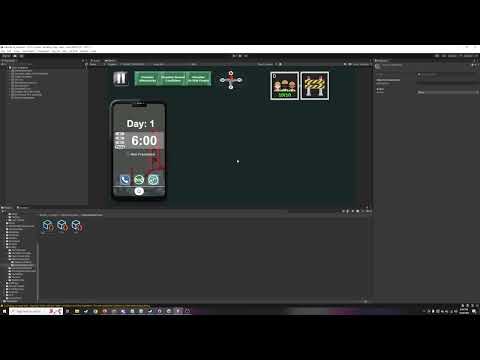
This is the Evolution simulation project I worked on in Unity.

The orange cubes represent creatures. All they know how to do is move forwards, back, left, right, and jump when they get stuck. Whenever they take an action, they check if it brought them closer to their goal, and if so, they do it again.

They need to eat, drink, and sleep, and if they're successful for long enough, they'll reproduce and pass on their genetics to their offspring. For now it's just metabolic rate and color--metabolic rate determines how fast they move, but also how fast they spend energy.

The creatures also have a symbiotic relationship with the plants. When the creatures eat plants, they spread the plant seeds. The plants also have genetic inheritance, with their genetic traits including color, growth rate, and nutritional value.

Because the creatures will prefer plants with higher nutritional value, over the course of the simulation, those plants will get naturally selected to proliferate more. 

Lots of other emergent patterns can be seen in the video.

Figure Skating Flying Squirrel Video


Here's footage of Figure Skating Flying Squirrel, a game created for CAGD 370 that I was the lead designer for. I did the modeling, game design, some level design, some programming, and whatever else needed doing.

CAGD 320 Final Project


Wednesday, December 13, 2023

CAGD 377 Postmortem

Space Pirates Took My Pancreas gave me a lot of opportunities to flex my programming muscles, as it had me figuring out ways to efficiently move around a lot of data. I’ll go over an overview of what each sprint looked like for me and give my thoughts on the takeaways.


In Sprint 1, I actually completed some of the most important core gameplay features. This was a super productive sprint for me where I implemented the basic player data, the “clicker” button, and a template generator that eventually implemented them all. I got the UI working, as well as the save data. Ultimately I think that developing the critical elements right away was super important in the long run, and definitely gave me a lot of optimism at the start of the project.


In Sprint 2, I made a lot of important framework, and had some experiments with communication of development. I wrote all of the backend code for upgrades, which were something that definitely seemed super intimidating at first. I also made a class map for the various scripts being used. On one hand, I think it was nice to have, but I wonder if it would’ve been better to make sooner in development. On the other hand, we didn’t always know what our script structure was going to look like until we tackled the next problem. I think updating it as the project went along though would’ve been beneficial, especially in regards to the implementation of items.

Additionally, I had the generator template in the game, but I needed a way to communicate to my team members who were going to be using the template to add the rest of the generators. I decided to make a video tutorial as a demonstration. For this project, this was super successful, and my teammates both greatly appreciated it. While it was highly successful here, I wonder how well it would work at a larger studio. One element I kept in mind was to try to keep it short, and it was about 9 minutes long in total.


In Sprint 3, I focused entirely on the user-end of upgrades. That proved to be quite a bit more challenging than the data side. It involved a lot of communication between multiple different scripts, including the buttons, the button manager, and the upgrade manager. The buttons are a prefab that get instantiated with a certain upgrade, and on click, tell the button manager that they were clicked. The button manager checks what upgrade they were, and passes it to the upgrade manager. The upgrade manager checks if the player has enough money against the price for that upgrade, and if so, buys the upgrade and removes the button. This was a great example of how using multiple communicating managers made for coherent code.

Once it was working, I input all the data for the rest of the upgrades. In one foul swoop, I got all the planned upgrades implemented. This sprint was spent hard focusing on one large task. 


During the middle Sprints of 4 and 5 I definitely felt like we were in a slump and didn’t have as much direction. I worked on a couple assorted tasks, including a few new upgrades, but as far as I was aware items weren’t making progress. The more complex upgrades required some special functions, which required some testing, but didn’t change much of the framework. 


Around the start of Sprint 6 I decided that the three things we needed for the game to be finished were: getting the mobile UI scaling working, getting the art assets in the game, and getting the item system implemented. So in sprint 6, I focused on getting the UI scaling working. I also worked on some tie-in elements with items, such as upgrades that increase the discovery chance, and having the generator manager (which runs the game clock) pass to the item manager what item to discover.


By Sprint 7, just about all the programming tasks were complete, so I was tasked with some polish features, such as implementing an “are you sure?” button after the “wipe save” button is pressed.


Overall, looking back at this summary of the project, I can tell that most of my work was during sprints 2 and 3. I’m proud of the way my plans for the game’s infrastructure panned out in those elements. I think that things could have turned out better in the later sprints if I stepped forwards more with a plan for how items should be implemented. Perhaps taking more initiative to get documentation going for the more complicated parts of code (ie, a base for the items) would have helped avoid the confusion that occurred towards the end of the project.


Sunday, November 19, 2023

CAGD 377 Sprint 6

At the start of Sprint 6, I made a list of the three most important tasks that needed to be done for the game to be ready: getting the aspect ratio nailed down, getting items implemented, and getting the art assets in the game.

So my first exploit was getting the UI scaling to work. The task was pretty easy, but required a search for what to do. I set Unity to the Samsung phone simulator and reorganized the UI, scaling everything appropriately and making room for the art assets to be included. After some tinkering with the camera, I got the scale to change properly, and did some testing.


With the UI scaling locked in, I moved to finishing up items. While I had done some work with items in the main scene, and our lead had done some work with items in the inventory scene, we were yet to tie the two together.

First, that required some bug fixing. I added a quick fix to ensure that save data was retained on scene transfer, and a hooking function to the scam button to make sure it can always attach to the PlayerManager after the scene has been unloaded and loaded again.

Now that we had a library of our items, I gave the GeneratorManager a reference to it so it knows what the items are. That way, after it activates discovering an item, it can decide what the item will be. Based on the generator type, it will pull one from one of four pools of four items each.

One major challenge is that the item discovery and the item management happen in different scenes, which makes it difficult for the scripts to communicate with each other. To solve this problem, and solve the other question of how to save the game, both scripts write to and read from the save file. So, the GeneratorManager checks if there’s space to add another item to the storage in the save data, and in the inventory scene, the ItemManager checks what items are in the save data and loads them up. 

One other addition I made to the code was a variable that factors into the player’s income that can be affected by items. The main challenge with this is that the UI has a copy of the calculations for UI display purposes, so for optimization and organization, I merged them into one float-returning function that other scripts can use to get a value for the income per second.

Besides those important tasks, we also realized an issue with the gameplay: after the first few minutes, there’s no reason for the player to interact with the scam button. To fix this, my last task was to add three new upgrades to the game that increase the amount of money earned when the player clicks the scam button.

Each upgrade makes the money earned get increased by 1%, 2%, then 3% of the player’s income. This makes it somewhat effective at all stages of the game, and increases how effective it is by the number of upgrades the player has. These upgrades also don’t have any exterior thresholds, which means they’re always there as a goal for the player to get. The only requirement is owning one building, which seems like a good time for upgrades to be introduced to the player.

Since this was a new upgrade type, I had to make a new function to handle it, but it was as simple as giving the PlayerManager a new variable that factors into the “money earned on click” function.


Sunday, November 5, 2023

CAGD 377 Sprint 5

To start off Sprint 5, I made some backend math functions that our lead asked for–eventually we’ll be able to implement them into upgrades, and the item math might need to use them. One finds the player’s lifetime money, and another finds the player’s raw income unmodified by upgrades.

Next, I added a set of 7 new upgrades that increase the item discovery chance of the respective generators. I added a simple flag on the upgrade class that tells it to increase the item discovery chance instead of the multiplier, and then got to calculating the prices and putting in the data.

In doing so, I also split the item discovery stat into four different ones for the four different item types. While this was done for flexibility, ultimately it never gets fully utilized since each generator only finds one item type. So I think it could be better optimized by putting them back to a single stat, and just having the item discovery go off of which generator found it.

That was all for Sprint 5–quite honestly, I know I could have done more this sprint, I think that as a group we were just at a point in the middle of the semester where we both were missing a little direction, and waiting on all our pieces to be complete so they can be put together.

So, here’s our direction! Going forward into Sprint 6, here’s the three biggest priorities: the item system, getting the art assets in the game, and making sure the UI looks good on mobile.

The item system is our plus one feature, so it’s vital that it makes it into the game on release. Getting it completed mostly requires hooking it up to the existing systems. For Sprint 6, one of my jobs will be to make sure the item discovery system’s activation is hooked up to the item spawner. Additionally, I’ll be looking at the save data to make sure the items can be saved.

Our artists have made some wonderful models for the game, but we haven’t tested putting them in unity yet. This is also vital to the game’s success and to make sure that our artists’ work gets appreciated. This sprint, we’ve gotta get the models in unity so we know that everything’s configured correctly on release.

Lastly, the UI works on PC while we’re developing it, but it still looks off on mobile. This will be another one of my jobs, making sure it scales properly on a mobile device and that there’s room for the models to be on the main screen.


Here’s an oversimplified mockup I made during our team’s discussion, showing how everything should be organized so the art can fit in.


Additionally, I have a few stretch goals for myself if I can complete everything else with time to spare. I’d also like to implement a few more upgrades for the SCAM button, increasing the money generated when the player clicks it. Our lead has this idea in the backlog, but it’ll only get added if we have time, so I’d like to make sure I have time because it’d be a piece of cake for me to implement, and increase the number of things the player can do.

Looking further ahead with the plan, I’d also like to see if we have time to implement the prestige system in Sprint 7. That’s something that would probably only get added further down the line, but coding-wise I don’t think it’s too complicated, and it would make a fun addition to the game.


Monday, October 23, 2023

CAGD 377 Sprint 4

One of the main challenges of Sprint 4 for me was that I didn’t have an overall theme this time, and instead was just doing some miscellaneous tasks. With the major systems complete and waiting on the lead for items to be ready for me to work on, there wasn’t a major milestone this time. 

First, I optimized the upgrade system. Following the ideas I had in the last sprint, I got the system optimized so it works smoother. 

Since items were our next big-ticket item I got the framework set up for item discovery. You can see the code here, it was pretty straightforward, and just triggers a debug message where adding the item would go. This was as far as I could get for now, but it was good to know it was working.

Next, I thought it would be interesting to see how the game plays–and discovered there was a slight balancing issue. Since our plan was to go for additive multipliers, but we implemented multiplicative multipliers since those worked better, the income multipliers the player could get were higher than they should be, and made upgrades have too overpowering of an impact on the game. I brought this up to our lead, and got a new task to rebalance the multipliers so they would be equivalent to what the additive system would’ve been. 

For example, adding a x2 multiplier, then a x6 multiplier would result in a x8 multiplier overall. I would take something like this and convert it to multiplying a x2 multiplier by a x4 multiplier to get the same x8 overall. Making these small adjustments to every set of upgrades left the game in a much more balanced state. This was a simple task, but one that’s worth some explanation.

Lastly I tackled the advanced upgrades. This included an upgrade for Spambots that increase their multiplier for every other building owned, and a set of upgrades for every other generator that increase their income based on the number of ChopDocs owned. Since the upgrade system wasn’t built to do this, it required a little finesse–just a checker for the ids of these unique upgrades to redirect to their unique code. Not super elegant, but functional for now, though worth optimizing if the game ever gets bigger; though this will probably be the extent of the scope. The only other upgrades after this will be related to item discovery, and then they’ll be done.

Anyways, as shown in this gif, I got them working. It took me about a day’s work to iron out the kinks, but otherwise it didn’t give me too much trouble. I will say that they do serve an important role to bridge the gap between the 50 generator upgrade and the 100 generator upgrade. 

That might sound like a bit of work, and it was, but I definitely had more room to improve during this sprint. I could’ve done some more work on the game, I think we were just in an awkward place where there wasn’t more programming needed at the moment. Which is fine–it shows that we’re well on track to completing the project.

In conclusion, I’m excited to tackle items in the upcoming sprint. Since they’re the main +1 feature, I’ve been eager to get started working on them, and now that everything in the base game is functional, we’re finally ready. I think the game will really start looking complete once we get the art imported onto the menu.


Featured Post

Aftershock Simulator Sprint 3

This is th e tutorial video I made for my team demonstrating how to use the objective system I designed this sprint. I’m really happy with h...