Space Booty has officially released! It can be downloaded here on Itch.io.
My final thoughts can be seen in the postmortem video starting at 9:24.
Space Booty has officially released! It can be downloaded here on Itch.io.
My final thoughts can be seen in the postmortem video starting at 9:24.
The doom tower is, by far, the most complicated and impressive thing I worked on in Sprint 5.

The tower has two separate joints it pivots on, and as such, required a lot more math to get its aiming working properly. The base joint rotates to face the player as normal, but the second higher joint was more of an issue. After spending a long time trying all sorts of different solutions, I fell back on trigonometry to cut through to a solution.

Essentially, in order to find the angle at which the dish should point, we need to take the inverse tangent of the difference in y over the difference in x. Additionally, we don’t necessarily know which way the base joint will be aiming, so what I'm considering the x difference on the intersecting plane may actually require a distance calculation in three dimensions. We can find the appropriate value by using the distance formula on the x and z coordinates.

Getting the laser beam itself working was tricky as well, but I found the easiest solution was to just create my own model for it with a pivot at the end, so I can simply scale it forwards along one axis to match the distance it needs to go. Default Unity cylinders have their pivot at the center, which wouldn’t have worked for this.
Ultimately I really like how it chases the player in real time because it gives expert players the chance to try to dodge it if they can react fast enough. I think players often find it unfair when there's no way to avoid an attack, so I'm really glad I put the effort in to make the death ray something that really works and isn't just simulated with instant damage.

Next coolest thing is definitely the death ray. This is the final weapon for the game and required a few more bells and whistles than the others. First, it has a slightly modified projectile script that doesn’t get destroyed on collision. Most of the code is stored in the weapon script which handles its movements instead, since everything has to be more precisely tuned. It has a function that, using the same model as the doom tower, can rapidly scale the projectile forwards to mimic emitting a ray. For extra style, the ray disappears at the end by rapidly shrinking.
The biggest change was that the firing mode requires the player to hold the button down for a few seconds, which means I had to set up a new input function that cancels the charge-up when the fire button is released. It uses a coroutine that, after the initial press, waits for a second and cancels if the button is released, firing the laser if otherwise.

The biggest responsibility I had this sprint was getting the models imported from our modelers. Some of these were straightforward and one-to-one, but for some like the space stations or rotating lasers, I had to modify the code since the models had more moving pieces than anticipated. Others, like the enemy spaceships, were at a different scale than anticipated and as such had to have their movement variables (speed, range, etc.) readjusted.
A bunch of the new models can be seen in this gif, as well as the lives system I implemented to go with the new pickups and our designer's game over screen. As a programmer, I wanted to focus on making the prefabs developer-friendly by keeping them limited to only a few pieces, or preferably just one. When prefabs contain multiple pieces it can be easy for developers to accidentally click on the wrong one in the scene view. For some prefabs I just had to make new ones entirely, which felt suboptimal to me since the old ones had to be manually swapped out. I think this was good experience getting practice with using art assets in Unity, and is something I would like to learn more about.

Lastly, I got some basic animations working for the player’s ship, which will be expanded upon in the next sprint.
During Sprint 6, one of my points of focus was making a miniature level for the game’s tutorials. The start of this task meant diving into our level editor developer tool. While previously I had been able to use the tool just fine, what we needed was to be able to change the level size; a feature which the editor didn’t had. So, my first accomplishment was coding in a new setting for the level editor to set its size.

I found the section in the code that defined the level size, set it to a variable, and added an input field into the level editor. This way, any future designers will be able to make levels of varying sizes for different purposes.
I then used one of our level designer’s designs to build a simple level using the editor, and set up all the necessary infrastructure to get it functional in the game, which can be seen in the picture. One major change I had to make was how the camera worked; since it was designed around a 100-unit wide level. I modified the camera attributes to also take variable input in the designer, and set it to center around wherever it is first placed in the level. This way, I could constrain it to the much smaller level bounds.
Next, I did some more work with objectives. Since our team implemented a building tagging feature, I made a new type of objective for tagging buildings.


The TagObjective was pretty straightforward, just copying my methods for the UIObjective. The main addition was adding a customizable variable for the number of buildings that need to be tagged.
My main challenge was that each building tag is its own unique object, each with their own script that activates when clicked. In the main scene, there were 800. So in order to manage this preexisting system, I made a new script called the TagManager. Since all the tags were instantiated as children of the same object, I gave them a small addition that grabs reference to their parent on creation, which finds the TagManager. On click, they’ll reference back to the TagManager, which will keep track of how many tags have been added. This way, the TagManager can be the subject for the Object Observers, and tie back into the Objectives system. Following my patterns from before, I wanted to link together as few scripts as possible, so I think tying hundreds together into one was a successful way to integrate the two systems.

Following with objectives, I also began work on some integrations with the rescue system. The ScoreManager already keeps track of the number of people rescued, but I added a prototype UI element to display this to the player during testing and play. Lastly, I began setting up a bunch of the infrastructure for RescueObjectives that check how many people have been rescued, which will be expanded upon in the next sprint.
I went into designing this system with some idea of what to make. I knew that designers would need to be able to make customizable modular objectives and tell the game levels what order to progress through them in.
What was a huge help was a comprehensive list one of my team members put together of all the currently planned levels and objectives. This meant I didn’t have to make a universally-flexible system, just one that fit what we needed, which gave me some valuable direction. I looked at the list and broke it down into three categories: clicking on tiles, clicking on UI elements, and taking key input.

Initially I drew up a class diagram to figure out how I wanted my system to work, but I ended up iterating through so many different approaches it mostly just ended up as a brainstorming document. Objectives started more or less as I planned them, with one major exception. I knew I wanted an abstract class so that the three objective types could inherit it, but I ran into a huge problem pretty quickly.

I started by trying to implement TileObjectives (for clicking on tiles in game) and realized the issue: all of the relevant game data is stored in completely different places. TileObjectives needed to grab their info from the SelectionBoxManager, InputObjectives needed to take input from the CameraController, and UIObjectives needed to grab their info from three different layer visibility scripts.
This is why Objectives inherit from Observer—I decided to implement the Observer design pattern to try to tie together these tangled scripts. TileObjectives can observe the SelectionBoxManager in order to make sure they
Only run their check when the player clicks on a tile
Receive the game data needed to see if the Objective was completed
And this system worked awesomely! There were a few small hitches—I had to make some enums for ease of communication—but the last big one was for the UIObjectives. Like I mentioned, each UI element connected to code in a different script, so I made a LayerUIWrapper class that “wraps” together references and shared information for the different relevant UI scripts.

Now that the fifth sprint is done and we have a finished build of our game, Figure Skating Flying Squirrel, it’s time to do a postmortem of the whole development process. First, I’ll talk about some challenges we faced during the development process, and then I’ll talk about how the final project turned out (it went great).

One challenge we faced during the start of development was breaking up tasks into sufficiently small pieces. For example, developing a level is a long process. Eventually I decided that the best way to do it would be to make separate cards for two drafts of the annotated map, a level blockout, a first draft, and final draft of each level. Throughout the development process we had some similar issues, but I definitely think this is just something that gets ironed out with experience, since we figured out what the expected steps are for certain tasks.
Another challenge I ran into during the fourth sprint was getting stuck on a card I couldn’t get to work. I looked through the unity scripting API and online for solutions, and nothing seemed to work. Eventually I figured out it was a conflict with someone else’s script—I assumed he would’ve told me if there was a conflict, and he assumed that I would’ve checked for any conflicts. In the end it was a funny misunderstanding, but I think going forward I learned that I should ask for help when I get stuck, and check with my team members if there could be a script conflict.
In the final sprint we realized we probably wouldn’t have time to include a final level, and had to decide to cut it. Throughout the development process, as the lead, I would have to make the call on whether or not to cut certain features. While this is just something that has to happen in every project, since at some point it has to be finished, I didn’t want to dismiss other people’s ideas. I solved this problem by trying to find ways to incorporate other people’s ideas by modifying them—for example, somebody suggested being able to upgrade the player with new abilities. I didn’t think this would work great for the design of the game, so I suggested keeping the idea of new abilities, but putting them in temporary power-ups instead of permanent upgrades.

An early success of the project was getting the movement and physics working early. I really have to thank my programmer for this; but getting that working early on meant we could work on the levels and game interactions with much more confidence.
A later success was the design of our level objects. I wanted to add some intractable objects to the levels that made things more interesting. The design I’m most proud of are the bumpers—I realized that the biggest challenge to the player is the large turn radius and slow turn speed. I figured that bumpers that instantly cause the player to bounce one-hundred-eighty degrees would therefore be a meaningful addition that players want to go for.
Another game object that had some thoughtful design was the branch wall. The player can smash through branch walls if they’re going fast enough. I wanted the players to be able to pick up on this, so first I made a model for them that communicates that they can be broken. I made them look really brittle, but I also gave them large gaps that the player can see through. If the player can see that there’s an area behind the wall, they’re more likely to realize that they have to break the wall to get in. For the implementation, I put a section in the tutorial level where the player starts going really fast, and put a branch wall at the end of it. I correctly reasoned that players would likely lose control and hit the wall, then realizing that they can smash right through.
One of the biggest successes of the project was the switch to ProBuilder for our level building. For our game especially, we needed a lot of slopes, ramps, and curves, which weren’t feasible with the unity primitives. Using the ProBuilder plugin, we were able to make levels that both played and looked way better.

What would I do differently on my next project? While we knew we wanted powerups and level objects, I think getting design documents for those sooner would’ve been beneficial. Additionally, I think more of a design document for how levels should be designed would be good—while we got things worked out, I think it was hard for me to communicate my vision for the level design until I made the tutorial level; making a design document with some general guidelines would’ve made that easier. I also would’ve liked to get the third level in if we had more time.
Overall, I’m really happy with how the project turned out. I think our strong core mechanics greatly contributed to a game that’s cohesively fun, and the powerups and level objects provide nice spins on the gameplay. The high score time and acorns give players some great incentives to go for, and playing it, it really feels fun to try to speed through the levels as fast as possible. The moveset combined with the varied levels means there’s a lot of tricks the player can pull off, and it makes the gameplay feel fun, rewarding, and flexible.
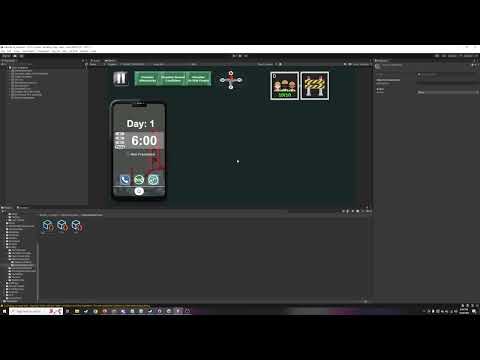
This is th e tutorial video I made for my team demonstrating how to use the objective system I designed this sprint. I’m really happy with h...